3DSFX Project 1!!!
And finally at the end of week 5, I am now suppose to create a short film that puts all of the earlier effects I have learnt into the video!!!
I actually thought it hard and long for this, trying to see which effect is better to have inside the video I am making.
At first, I actually came up with the idea of having me standing in front of the mirror, adjusting my clothes. And when I have walked away, the me in the mirror came back(without the real me) and decided to come out of the mirror!!! It was a good idea at first, but when I tried videoing it and editing it, I encountered some problems like trying to mask me away. I was unable to properly mask it well, so I decided to abandon this idea. T_T (I will try to get more experience before I try again.)
So, after thinking for a long time, here’s how the storyline goes!
I was playing on my piano for a while, and suddenly a second me(Let’s call it “Me2”) came and joined me, watching me play. However, I was playing it wrong, and was testing every single key to get the right not. Me2, getting irritated at me for not playing it well,slaps me on the head, and teaches me how to play it.
Once Me2 finishes, she gestured me to play it. I then, after watching her played, followed her example and after playing for a while, Me2 joins me with a Ukulele! After which,we high-fived for a job well done, when suddenly a ball of energy came flying and blasting me away, shocking Me2. Me2 then looks to the side, noticing the Evilme standing there with a gun (hairdyer), slowly escapes away. The evil me then notices the camera and pointed the gun at it and fired.
And that’s how the story goes!
The effects being used are: Clonning effect, Shattering effect, Energy ball and Smoke effects.
Here’s how it looks like:
Unfortunately, there was another problem in this video, you can see that between me and Me2, there is a slight flickering around there. While I was videoing, I accidentally filmed it at different times, thus causing the different lightings at the back. Although I have tried my best to reduce it as much as possible using the rotobrush, it is still quite obvious…so….
All about color-correction!!!
This is all about color-correction!!! To have a good effect in a movie, the colors in the movie must, of course, match with the atmosphere of the movie!!!
Now, let me show you what I have done using effetcs like Curves, Hue/saturation, Levels and color balance!!!
Before:

After:


Before:

After:

Before:
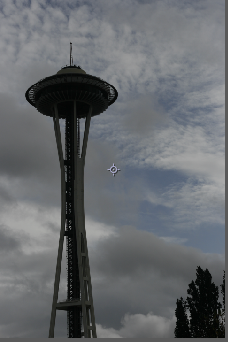
After:


Before:

After:

Before:


After:


Before:

After:

That sure was a lot from just all that!!!
Here’s some from using the effects of secondary colors, ‘Color Finesse’
Before:

After:

Before:

After:

This was using of bleach bypass


Before:

After:

So what this effect do is that, it actually has the same function as using the same effects as mentioned above. However, it could also allow us to select an individual color and change it to a different color without affecting the others.
And lastly, applying all this into videos!!!
Before:
After:
Before:
After:
The above two videos is just that I need to switch both of their backgrounds around!
The next videos is that I needed to color correct the videos as the original footage is just very bad
Before:
After:
Before:
After:
Overall, I believe color-coreection just gives the viewer to be in the mood of the people in the video itself. When showing an aggressive part of the show, the colors should be dark or in red as this are colors that matched the atmosphere.
James Bond time!!!
Its been such a long time seen watching James Bond!!! He is such a cool guy, right?
So lets honor that by creating the opening video of his!!! (by following a tutorial of course)
Here it is:
Not bad if I do say so myself ^_^(Especially the music, although I did not make it) Gives you the feeling doesn’t it? I adding the ‘The End’ by myself!
Track Matting!!!
In this post I will be doing a short Track matting!
Here’s what I have done:
Before:
After:
It is actually quite cool you know, the inside of the works are actually able to follow the background! It also give the viewer the illusion that it is really in there!!!
Tracking yet again!
In the previous post, I have mentioned that I have followed a tutorial that is called Set extension right?
This video is making use of the tutorial!!!!
Here it is:
The original footage is that, instead of the black screen I have placed, the monitor screen that took the heart rate and things like that should be there. (I can’t upload the original footage T_T) If you take real notice, you will find that the image actually shook a bit before settling down. It can’t be helped as no matter how well I tracked, it always appears that way.
In regards to the previous post…
As you have seen in the previous post, I have actually used Andrew Kramer’s tutorial from the website ‘Video Copilot’.
The tutorials are sky replacement, advanced sky replacement as well as set extension!!!
Here’s what I have done using the three tutorials:
Sky replacement Before:
After:
Advanced sky replacement Before:
After:
This was making use of the Colorrama so as to make the sky a distinct white color, so I would be able to replace it with a picture, making use of the same picture in sky replacement. (I took that picture by the way ^_^)
Set extension Before:
After:
Oh look, A Pikachu!!!!! Cute, right? The pikachus are actually from a photoshop file, I merely reduced the color, using hue/saturation, making them seem like they are stones.
Hiding and adding things!!!
Here comes more of the motion tracking stuffs!!!
This time, using what was learn in the previous post, we need to hide and add some other stuffs using the track motion.
Here are what I have done:
Before:
After:
Opps! There seems to be some black stuff at the side haha, because I have stabilize it, it becomes like that. It could be fixed by scaling the video bigger.
Before:
After:
Before:
After:
Before:
After:
To do this, I needed to place a new solid layer and target the tracking to the layer. To add image, I simply pre-compose the layer:

Making it into a composition and from there I am able to edit the composition:

I tried doing tracking on an image without using the solid layer, but it did not work out so well…the picture kept on rocking…
Tracking of the Motion!!!
Next up on After Effects! Motion tracking!
In this exercise, I need to do an effect of someone getting shot, which means: BLOOD!!!!
Ok…Anyways, I needed to follow a tutorial on videoCopilot(This is a great website) and follow the tutorial called “Blood Spatter”
I need to make full use of the motion track in After Effects, what it does is that it will track the motion of the video (Duh!) and it is really useful if you want something to stay at the same place throughout the whole video.
One could also change the background a little using the Hue and Saturation, and the blood is just an image, simply adding the fill and mask can make it really believable. Also, in this tutorial, although it ask us to use the pen tool to trace out the person (because it was overlapping with the blood), since I am using CS 5.5, I used the Roto brush tool instead. This is really useful, it really makes things a lot easier, we don’t need to do key frame by key frame to trace the person.
Here’s what I have done:
Here’s another one:
I was just playing around with the blood, the tutorial make the blood to be classic color burn(the mode that is), but since many people commented that it looks fake, I changed it to mutiply.
It was quite a fun exercise to do, playing around with the blood (Inner me:Sadist…Me:…) As well as the changing of the background.
Start of a new semester! Introducing to After Effects!!!
The moment I have been waiting for! EFFECTS!!!!!!! I have always wanted to use after effects ^_^
And although it is just the start of the term, there are already works to be done T_T (But it might be fun *shrugs*)
SO, Lets start!
First, we went through a tutorial(
) for after effects, combining four different videos into one composition and adding effects to it
Here’s what I have done:
From this, I was able to learn how to use keyframes, add text, making use of null objects and things like that, in after effects
Overall, it was quite an easy tutorial to follow! ^_^
 intro3d